By category:
- Advanced (11)
- Basics (14)
- Expert (1)
- General (16)
- Reporting (6)
- Technological (18)
- Use Case (12)
- Build Management (1)
- Project Management (2)
- Requirements Management (3)
- Testing (1)
Last Post:

SYS.4 – System Integration and Integration Verification (A-SPICE 4.0)
SYS.4 System Integration and Integration Verification – focuses on brining all system elements together and ensuring they work as intended. It verifies that interfaces, data flows and interactions align with the system architecture and meet release expectations. This process ensures integration issues are detected early, traceability is maintained and clear results are communicated to stakeholders,…

All Posts:
SWE.6 – Software Qualification Test (A-SPICE 4.0)
Welcome back to our A-SPICE journey. This post continues my A-SPICE SWE series. Missed the others? Start with SWE.1 Software Requirements Analysis. In this post we want to finalize our activities in regards to SWE. But from now on we will focus on Version 4.0 of Automotive SPICE. Enjoy 🙂 ID: SWE.6Process name: Software VerificationProcess…

AI Integration (Part 1): A Simple Form Extension Example
Automatically breaking down a user stories into sub-tasks? Creating test cases? Checking requirements quality? All of this can be done quite well by ChatGPT and Large Language Models (LLMs) in general. But how can we integrate an LLM so that we have this functionality directly integrated in Polarion? This post and the upcoming ones will…
Polarion REST API: A Form Extension Example
While the Polarion API was already powerful, you always had to go with classic wiki pages or java extensions in order to create something interactive that could create data in Polarion. With the new Polarion REST API it’s as easy as ever, to create your own interactive reports, form extensions, integrations and more! In this…

SWE.5 – Software Integration and Integration test
Hi everyone,its time to continue the A-SPICE series with the upcoming SWE.5 process. Last time we had a look onto the SWE.4 – Software Unit Verification process. ID: SWE.5Process name: Software Integration and Integration TestProcess purpose: The goal of the process for software integration and integration testing is to combine individual software units into larger…
SWE.4 – Software Unit Verification
Welcome,for our todays A-SPICE process review. In the last post we managed to close up the left side of the V-model. With SWE.4 – Software Unit Verification we will enter the right site of the V, focusing on testing activities. As the ID already refers, we will begin with the software area. Let´s go ID:…

Check out the Polarion Advent Calendar 2022!
Siemens is providing his second Polarion advent calendar containing a wide variety of technical stuff put into the context of christmas. Don’t forget to check it out. It’s great content for all Polarion admins & consultants to get inspired and find out what is possible! 🙂 Find the advent calendar here: Polarion Advent Calendar

The Basics of Java Widget Creation
While the creation of velocity widgets is quick and easy, you’ll might come across use cases that can only be tackled with the creation of a Java based widgets. This is mostly the case as soon as you want to create an interactive widget. In this post I want to go trough the basics of…

Creating Form Extensions with Velocity
While you can easily create reports and widgets for Live Report pages with Velocity, you would usually have to create a Java extension in order to create something that will extend the work item view. But with the “Velocity Form”-extension you will be able to create extensions for the work item view as quickly as…

SWE.3 – Software Detailed Design and Unit Construction
Welcome,to my series about A-SPICE and its related processes. Today we want to take a deeper look into SWE.3 – Software Detailed Design. In the last post we covered the software architectural design and prepared all relevant project development data for this process. Shall we begin? ID: SWE.3Process name: Software Detailed Design and Unit ConstructionProcess…

Rendering generated Content in Polarion Documents
So far, developing and using Widgets is a standard when displaying aggregated data of Work Items across the whole project or different documents, for stuff like testing reports, traceability matrixes. But these are always external, can of course be opened in a baseline (e.g. for a specific release), but do not have a Workflow or…

Setting up a Polarion, Jenkins and SonarQube Toolchain for Software Development
In this post I will go trough the steps to set up a simple toolchain that allows me to manage my small development projects: As most of my developments center around Polarion customizings, I will use the development of a simple workflow script as example to go trough each step. The target is to be…
![Create your individual Widget easily with the Active Questionnaire [Part 1]](https://polarion.code.blog/wp-content/uploads/2022/01/danist-soh-8gg2ne_utcm-unsplash.jpg?w=640)
Create your individual Widget easily with the Active Questionnaire [Part 1]
The extension portal offers a super powerfull widget that basically allows you to create your own widget UI via drag & drop and the execution logic via Javascript. In most cases this will be much quicker than creating your own Java widgets, because you don’t have to build the front-end from scratch and you don’t…

SWE.2 – Software Architectural Design
Hi there,hope you´re doing well. I would like to continue today with our A-SPICE series. Todays scope will focus on the SWE.2 – Software Architectural Design process. Previously we had a closer look onto SWE.1 – Software Requirements Analysis, which provides us the relevant information for this process. Let´s go!! Lets get started ID: SWE.2Process…
Advanced Reporting: Scripted Page Parameters
Most widgets can use page parameters so that users can configure them without going into the edit mode of the report page. But some widgets have the additional capability to utilize “scripted page parameters” that can be used to add scripted logic to widget parameters. … So what do I mean by it? Let me…

How to Navigate Polarions APIs – Some basic Tips
While it becomes pretty easy to achive your goal with the Polarion API, if you have experience and know where to search – it can be equally frustrating, if you don’t find the necessary classes, methods and starting points. In this post I want to share my “search-tactics” in the Polarion API to find what…

SWE.1 – Software Requirements Analysis
Welcome in 2021,I know its already been some months but I hope you had a good and motivated start into the new year. What could be better than starting by reading the newest blog post about “SWE.1 Software Requirements Analysis”? Last year we´ve analyzed the “SYS.3 System Architectural Design” process and finished the system level…

Revert changes and recover deleted items in Polarion
Because Polarion saves each change in the underlying SVN repository, you can restore data or revert any changes you’ve made in Polarion. Attention: Be very carefull with working directly at the repository! I recommend to test changes on the repository at a local Polarion first, before you do it at a productive system. I want…

How to create your own Velocity Widget
Polarion offers the possibility to create your own widgets that you can add in any LiveReport pages of your project. They enable you to report or show exactly the information which is needed in your project. In this post I will explain the basics of velocity widget development and an example of how you could…

SYS.3 – System Architectural Design
Hello there,thank you for joining in for another round with me. This post will cover the A-SPICE SYS.3 – System Architectural Design process. In our last episode we took a closer look on the SYS.2 – System Requirements Analysis process. So if you missed this one, go check it out. Lets get started ID: SYS.3Process…

Polarion Advent Calendar
Siemens offers a 24-Door Polarion advent calendar with a lot of neat extensions, meet the experts and others. Although most things are really held in the context of Christmas, the technical stuff and free consultings are really interesting. So don’t miss it and take a look into it! You can find the Playlist here: https://www.youtube.com/watch?v=ya72_UhvQXI&list=PLYGbB3CefExRirfCV-U1zOw8LX1mU0g0h…

SYS.2 – System Requirements Analysis
Welcome back!I´m NotDenis and I will give you my thoughts on the A-SPICE SYS.2 process. In the last blogs we have covered the structure and concept of A-SPICE where as now I want to explain each process of the HIS/VDA Scope. Structure But before we start maybe we should check how the processes are documented.If…

Advanced: The Work Item Pre-Save Hook – checking Work Items before saving
Topic: Checking, if the entered data is correct, before saving a Work Item in Polarion – this is made possible by a small extension on the extension portal.

Maximize Reuse / Minimize Maintenance in Software Development
Reusing software snippets from previous projects or platforms can be simple and efficient – You will be faster, as if you would have to write each line by your own. This is obvious to everyone. But what’s far less obvious is: Not only the initial creation, but also the maintenance could be way more efficient…

A-SPICE – the journey continues
Hi there, It´s NotDenis again. Welcome back to my series of A-SPICE related thoughts and findings. In case you find it hard to understand the content here, try reading my first post. It should explain all the basics, so its easier for you to follow.First post What do we know so far? In our last…

A-SPICE – start of a journey
Hi there, I´m NotDenis and I want to welcome you on my first blog post ever. Why am I doing this?In my job I often encounter the challenge of fulfilling or understanding a ISO/norm. And I must say. Its not a easy task! Often I hear terms like ISO26262, A-SPICE etc. But what does this…

Basics: Polarion Templates
You might want to modify existing project templates or even create a complete new one, to instantiate new projects based on your own templates – adapted to your specific processes. Here I will explain the absolute basics about the structure of project templates. To understand project templates, lets take a look at the project structure…

Advanced: Create your individual workflow condition with Javascript
While configuring workflows in Polarion, we may want to have certain conditions fulfilled, before a work item or document can go into the next status. As long as we just want to configure, that some fields must be filled or a user must have a certain role, it’s easy. Complex conditions on the other hand…

Use Case: How to work with baselined content to create a new variant
There might be thousands of reasons, why you want to continue working on old versions of your documents like Requirement-, Test- or Product Specifications. You maybe want to create another variant of your software – but not based on your latest version, but maybe on your version 1.0. Now you might be already at version…

Use Case: A Customer Requirement changes – Impact analysis and staying consistent
It’s rare, that a whole software project gets finished and the customer didn’t change any of his previous requirements. But now we already have developed code, designed hardware and wrote tests – which have to be changed now? How much will it cost? In this post I will show you how to answer this easily…
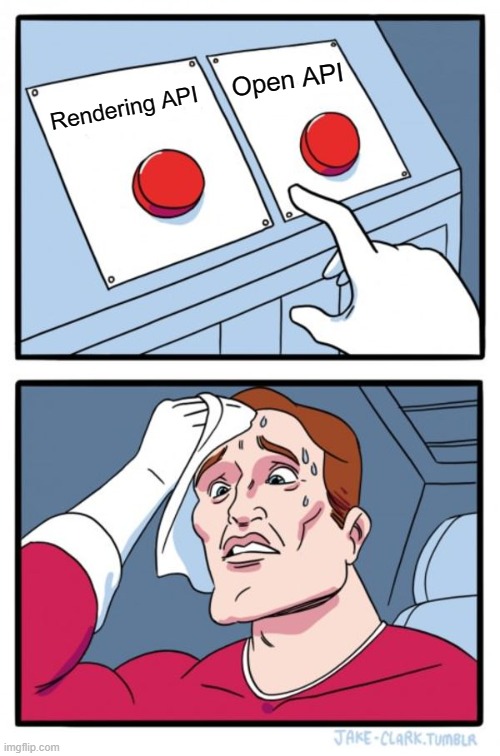
Rendering vs Open API
When to use Rendering and when to use the Open API of Polarion – A question often asked. Which I’m trying to make a little bit clearer. This post is based upon my experience with the APIs. I’m aware of the fact, that some things I’m explaining may not be perfect. Maybe there are ways…
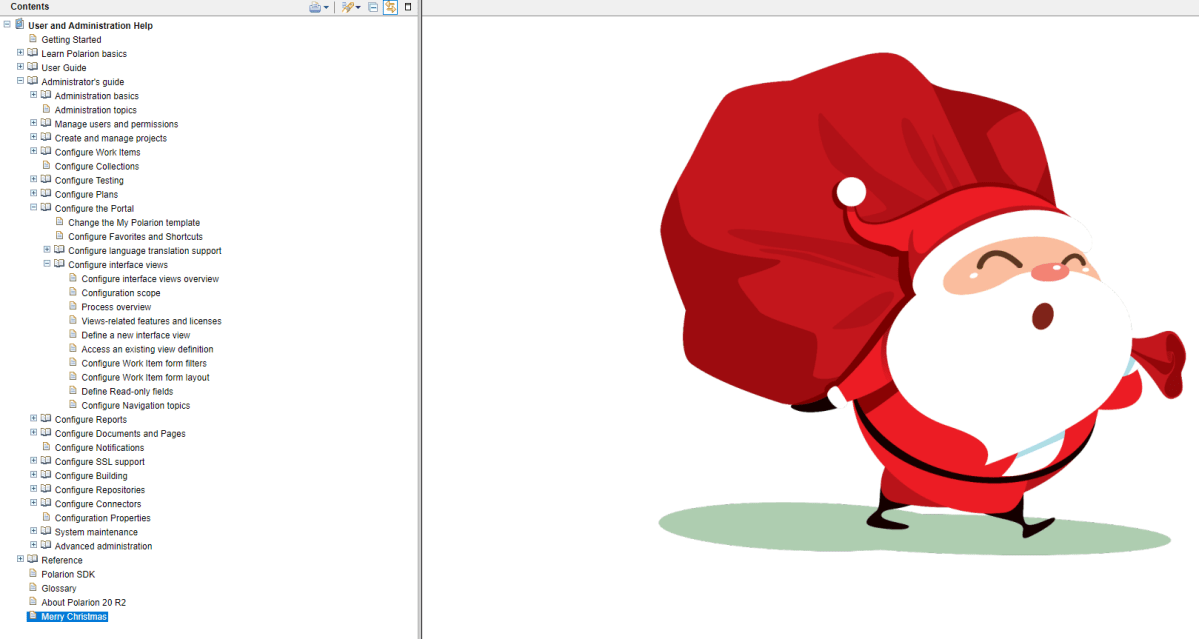
Change the Polarion help (e.g. add your custom documentation) – Before 22R2
If your company customized Polarion in a special way and users should know about it – where would be a better place for documentation, if not the Polarion help. In this articel I’ll show, how you can adapt the Polarion help before 22R2. You can find the whole content of the Polarion help in the…

Basics: Filter Work Items and configure Widgets by SQL Queries
Most Polarion users use the lucene filter functionality on a daily basis, as it’s pretty handy and easy to use. But there is one downside to lucene queries: as soon as you want to create a filter, based on a complex linking scheme, you will have to switch to using SQL Queries or Velocity Code.…
Basics: Get your own free local Polarion installation
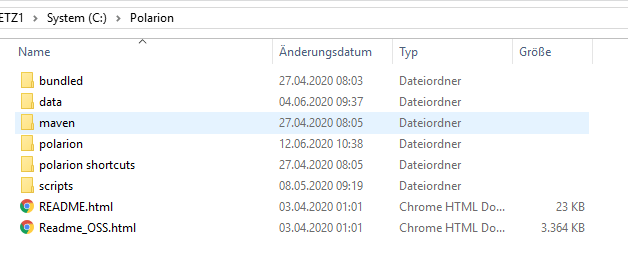
In this guide I’ll show you how to install the 30-day trial version of Siemens Polarion. A local Polarion installation can be useful in many ways. The most obvious is to try something, before putting it on a system where other users have access too. This will be the place, where you can use and…

Basics: Developing Extensions – The Polarion SDK
In this basic guide I want to explain on a high level, what and where you can find the things you need for Development in the SDK of Polarion.Although there is a lot of information in the SDK, it isn’t necessarily easy to find or self explaining. So I want to give a high-level overview…
Basics: Report Pages
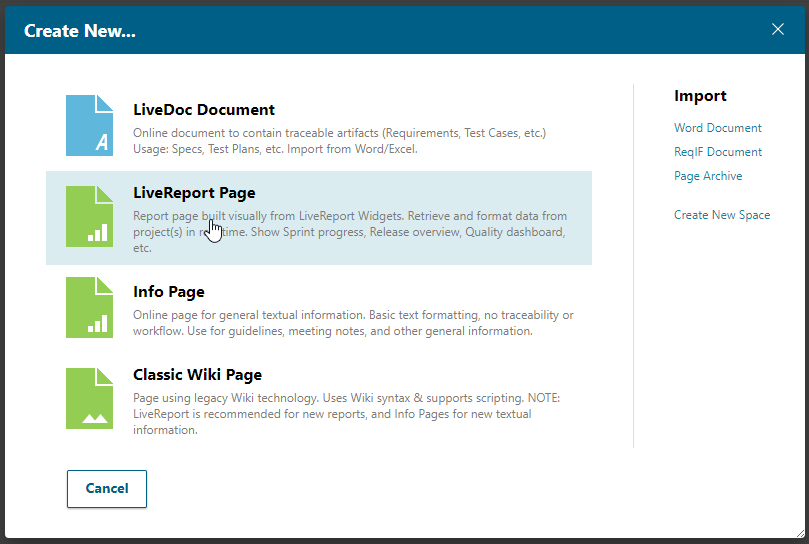
Report Pages ermöglichen es einem beinahe alles live zu reporten, was sich Projektmanager, Testmanager oder auch andere Nutzer wünschen. Hier gehe ich aber ersteinmal auf ein paar grundlegen Eigenschaften der Report Pages ein. Report Pages lassen sich innerhalb eines Spaces anlegen, wenn man auf dessen Index geht. Klickt man auf das + Symbol oben links,…

Basics: Velocity
Velocity – the quick way, to realize small customizings in Polarion. In this Part, I will explain the basic functionalities of Velocity in Polarion. Additional information about APIs will be introduced in other posts. First of all: What can I do with Velocity? Configure report widgets even more detailed Create your own widgets Render information…

Advanced Reporting: Page Parameter
Making reports configurable – how to work with “Page Parameters”. Although the report pages can always be configured over the administration page, this can be really annoying, time consuming and needs admin rights for report pages. To fix this, you can simply implement configurable parameters in the report page, which will make the report more…

Use Case: How to easily create a System Specification with Polarion – Fast & Audit-Safe
While Polarion doesn’t support you in doing the writing itself (atleast OOTB – checkout ReqLab on Polarion Extensions), it has a lot of features to speed up the creation process, while caring about all the things like Revisioning and Traceability, which you need for audits or process norms. In this post I’ll go trough the…
Get a notification for new posts via E-Mail:
 The Polarion Blog