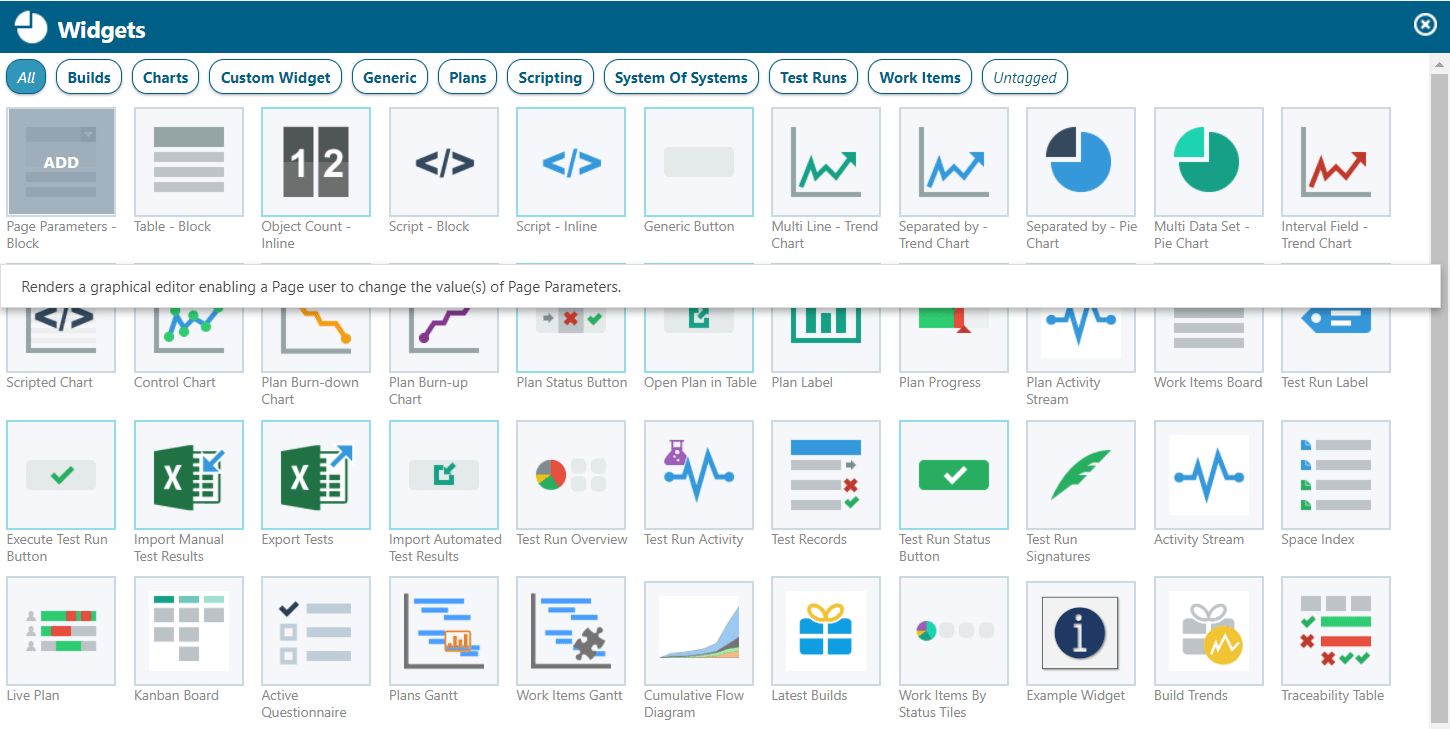
Polarion offers the possibility to create your own widgets that you can add in any LiveReport pages of your project. They enable you to report or show exactly the information which is needed in your project. In this post I will explain the basics of velocity widget development and an example of how you couldContinue reading “How to create your own Velocity Widget”
Category Archives: Technological
Polarion Advent Calendar

Siemens offers a 24-Door Polarion advent calendar with a lot of neat extensions, meet the experts and others. Although most things are really held in the context of Christmas, the technical stuff and free consultings are really interesting. So don’t miss it and take a look into it! You can find the Playlist here: https://www.youtube.com/watch?v=ya72_UhvQXI&list=PLYGbB3CefExRirfCV-U1zOw8LX1mU0g0hContinue reading “Polarion Advent Calendar”
Advanced: The Work Item Pre-Save Hook – checking Work Items before saving

Topic: Checking, if the entered data is correct, before saving a Work Item in Polarion – this is made possible by a small extension on the extension portal.
Advanced: Create your individual workflow condition with Javascript

While configuring workflows in Polarion, we may want to have certain conditions fulfilled, before a work item or document can go into the next status. As long as we just want to configure, that some fields must be filled or a user must have a certain role, it’s easy. Complex conditions on the other handContinue reading “Advanced: Create your individual workflow condition with Javascript”
Rendering vs Open API

When to use Rendering and when to use the Open API of Polarion – A question often asked. Which I’m trying to make a little bit clearer. This post is based upon my experience with the APIs. I’m aware of the fact, that some things I’m explaining may not be perfect. Maybe there are waysContinue reading “Rendering vs Open API”
Basics: Filter Work Items and configure Widgets by SQL Queries

Most Polarion users use the lucene filter functionality on a daily basis, as it’s pretty handy and easy to use. But there is one downside to lucene queries: as soon as you want to create a filter, based on a complex linking scheme, you will have to switch to using SQL Queries or Velocity Code.Continue reading “Basics: Filter Work Items and configure Widgets by SQL Queries”
Basics: Velocity

Velocity – the quick way, to realize small customizings in Polarion. In this Part, I will explain the basic functionalities of Velocity in Polarion. Additional information about APIs will be introduced in other posts. First of all: What can I do with Velocity? Configure report widgets even more detailed Create your own widgets Render informationContinue reading “Basics: Velocity”
Advanced Reporting: Page Parameter

Making reports configurable – how to work with “Page Parameters”. Although the report pages can always be configured over the administration page, this can be really annoying, time consuming and needs admin rights for report pages. To fix this, you can simply implement configurable parameters in the report page, which will make the report moreContinue reading “Advanced Reporting: Page Parameter”
 The Polarion Blog